 Farshad Ghobadvand
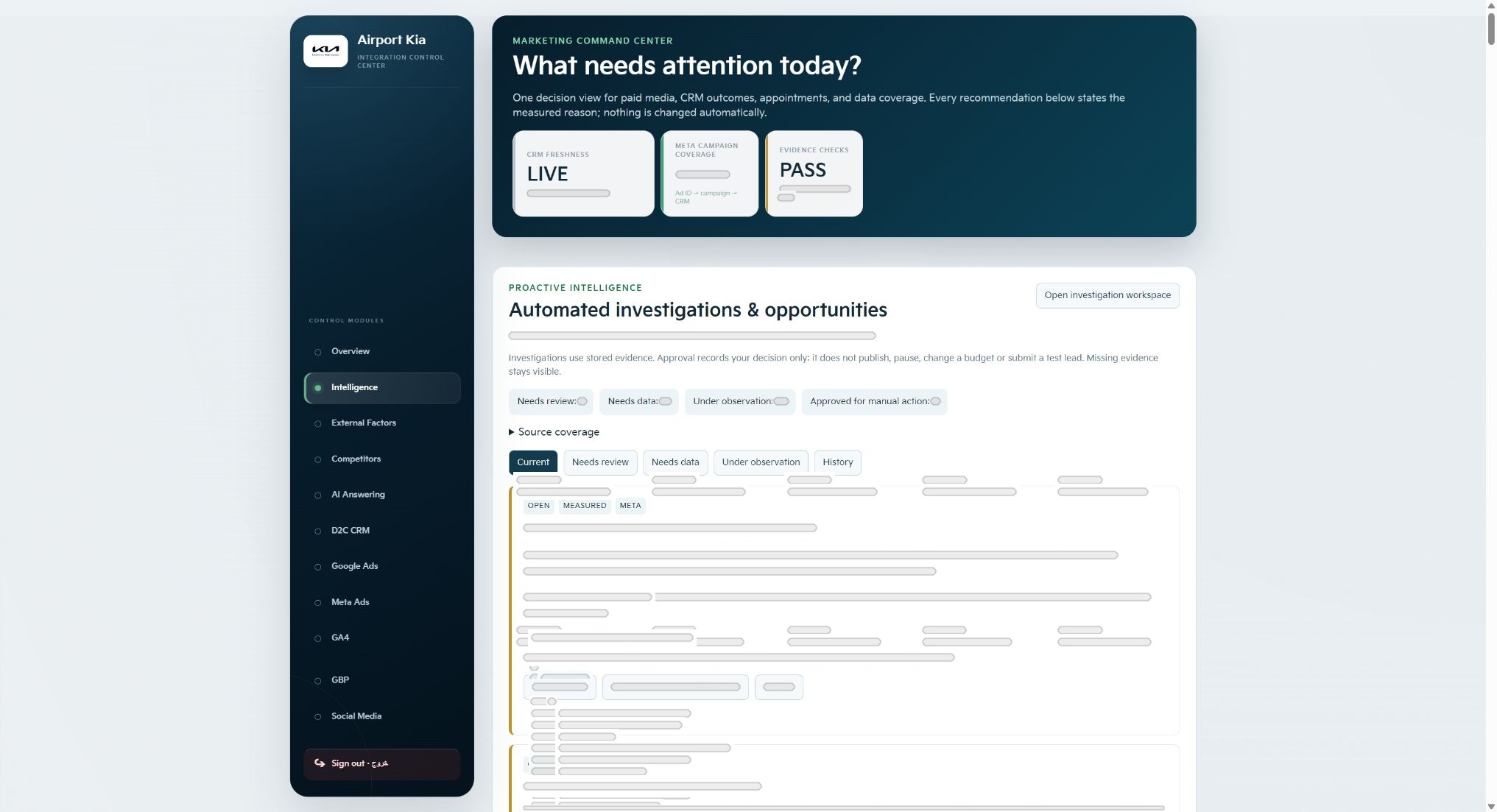
The starting point for Marketing Intelligence was the work of reviewing dealership marketing and lead activity. I wanted the interface to help someone identify where to investigate, understand the supporting information and decide what deserved attention.
That led me to organize the Command Center around freshness, coverage and investigation items. These are useful questions before interpreting the business signals themselves: how current is the information, which sources are represented and what needs a closer look?
Define the review before selecting the figures
I treat the review as a sequence of decisions. First, establish whether the information is ready to use. Then identify a change or issue worth investigating. Finally, inspect the relevant evidence and choose an action. This gives the interface a job beyond displaying a collection of figures.
For a dealership, that review can touch acquisition activity, the CRM and the work that follows an enquiry. I designed the Command Center as one entry point into a wider set of connected tools, with Lead Operations and External Context providing other perspectives on the same business journey.
Keep the state of the information visible
A signal is easier to interpret when its context includes the state of the underlying information. Freshness and source coverage belong near the review, because gaps or delays can change the question a reviewer should ask.
My practical review checklist starts with the reporting window and the sources expected for that window. If a source is incomplete, I want that condition visible while investigating a change. Otherwise, someone can spend time explaining a business movement that partly reflects the state of the data.
- Check when the underlying information was updated.
- Confirm which expected sources are represented.
- Keep an incomplete-source question distinct from a performance question.
Follow a question into the operational context
A marketing investigation often reaches beyond the campaign. A useful review might ask whether new enquiries carry sufficient context, how ownership is established or which follow-up is due. The lead workspace brings those questions closer to an individual record.
That connection influenced the product design and the data integration together. I wanted the queue, the detail panel and the next action to feel like parts of the same workflow. The interface captures show that structure, while private customer details and internal values remain concealed.
Finish with a reviewable next step
The useful output of an investigation is a specific next step with a reason. For example, an unexplained change may lead to checking the counting basis, inspecting source coverage or reviewing lead activity for the same period. The action should follow the evidence available.
External weather and calendar information can add another question about timing. It helps frame an investigation while the person reviewing it remains responsible for the decision. My role in this project covered the marketing review workflow, interface design and development of the connected tool.
Key takeaways
- Give the review a clear decision sequence.
- Show freshness and coverage alongside the signals.
- Connect investigation to the operational context.
- Choose a specific action after reviewing the evidence.
Sources & further reading
Expanded from my published Marketing Intelligence and Command Center posts.