 Farshad Ghobadvand
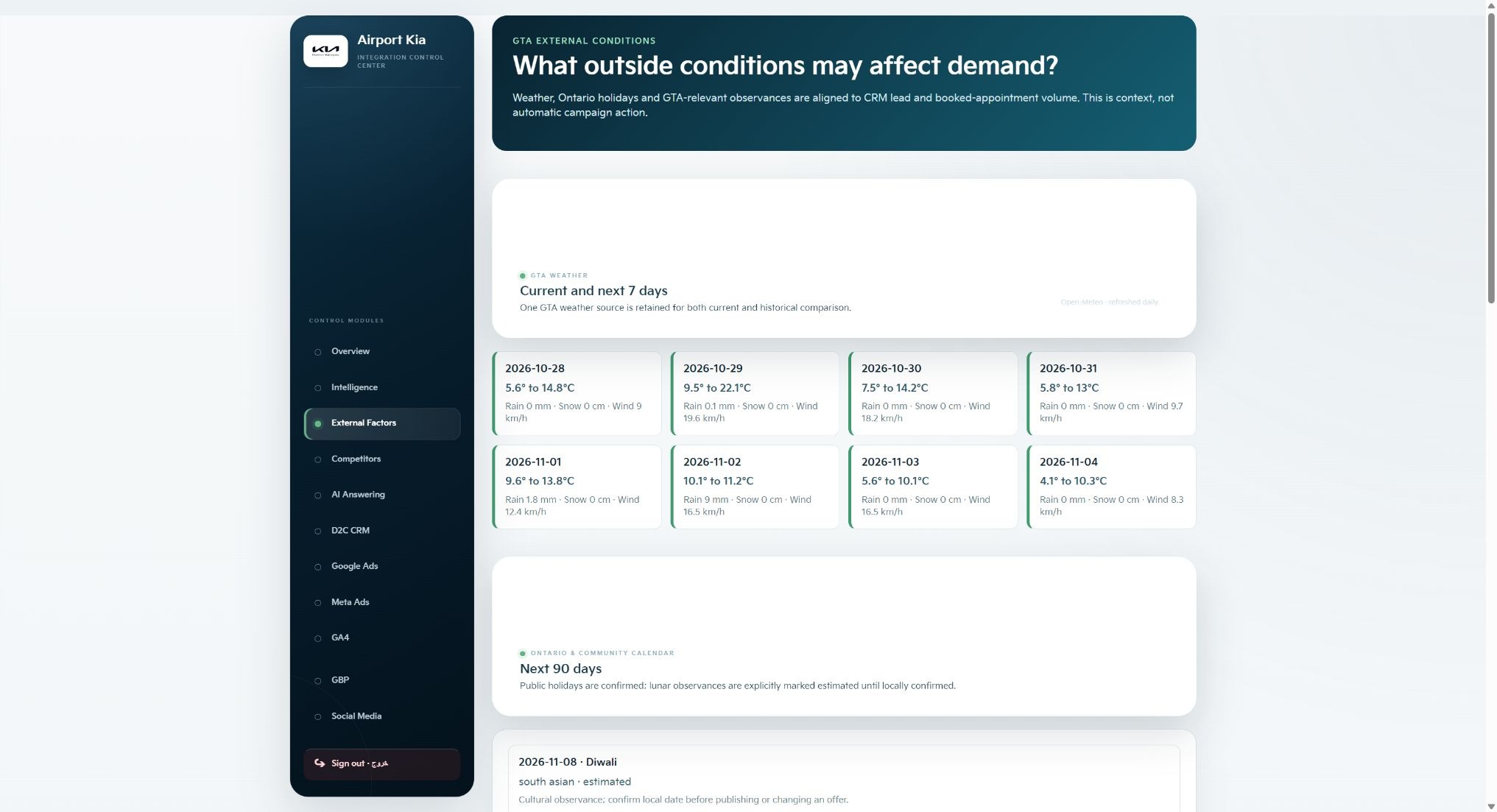
A change in demand deserves context. I added an External Context view to Marketing Intelligence so public weather and calendar information could be reviewed alongside dealership lead and appointment activity.
The purpose is to help frame an investigation. The reviewer can ask whether conditions around the customer journey changed, whether a calendar event is relevant and how the timing lines up with CRM activity.
Start with an observation you can define
I start by making the observed change specific: what activity moved, over which period and according to which source? That keeps the review connected to a defined business question before introducing possible context.
For example, an investigation might compare lead or appointment activity over a particular window. The reporting dates and counting basis still need to be clear. Public weather and calendar information then provide another perspective on the conditions surrounding that window.
Bring the context into the same review
The External Context interface gives weather and calendar sections a place within the broader Marketing Intelligence workflow. My role covered the interface, review workflow and development of the connected tool.
The practical design question was how to make this information useful during a human review. I wanted the person examining the signal to have a reason to ask a follow-up question about timing, customer behaviour or the circumstances surrounding a campaign.
- Did the conditions around the customer journey change?
- Is there a calendar event worth considering?
- Does the timing align with the CRM activity being reviewed?
Move from a question to supporting evidence
Two events occurring in the same window can prompt an investigation. Establishing that one caused the other requires further evidence. I keep that distinction in the workflow so an interesting association does not become an automatic explanation or campaign change.
The next review might consider data freshness, source coverage, other changes during the period and the pattern in a comparable window. The important step is to examine the evidence that can support the decision being considered.
Make the time context clear in a demonstration
The portfolio shows a dated capture of this product view from October 2026. Its weather and calendar details explain the interface and the type of information it brings into a review. The capture is historical rather than a current forecast.
That is a useful habit when presenting any marketing tool: explain what the screen shows, the time it represents and the decision it supports. It gives the viewer a more accurate understanding of the work.
The sequence I use is straightforward: observe the change, bring in relevant context, investigate the supporting evidence, then choose a marketing action. Each step gives the next one a clearer basis.
Key takeaways
- Define the activity and reporting window before interpreting a change.
- Use weather and calendar context to form useful questions.
- Investigate the supporting evidence before choosing a campaign action.
- Label historical product captures with their time context.
Sources & further reading
Expanded from my authored External Context series. The portfolio image is a historical October 2026 capture.