 Farshad Ghobadvand
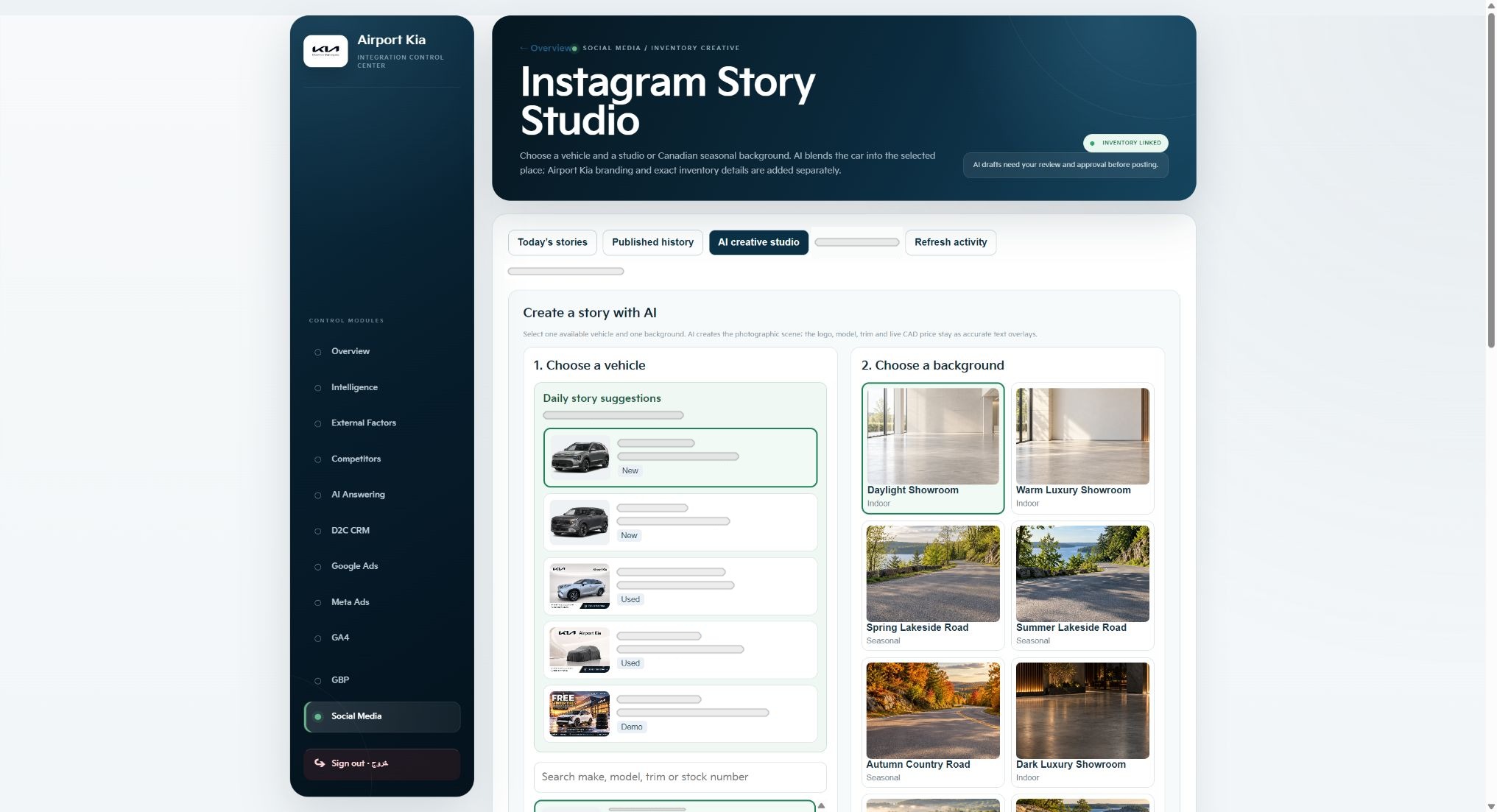
A vehicle story, a campaign visual and a local editorial post have different creative requirements. In my dealership marketing work, I build tools around those differences while keeping a common foundation: reliable inputs, a clear message and review before publication.
The Content Studio project brings three focused interfaces together: Instagram Story Studio, VFlows Visual Studio and Google Business Profile Editorial Studio. Each starts with the task the content needs to accomplish.
Start with the subject and the intended action
For an automotive story, the vehicle is the factual starting point. Instagram Story Studio begins with an inventory vehicle and a selected setting. This keeps the subject connected to the visual work rather than asking someone to begin from an empty composition.
Before choosing a layout, I define the purpose of the piece: introduce a vehicle, explain a relevant detail or invite the next conversation. The channel and the customer journey inform how much information belongs in the asset and what the viewer should be able to do after seeing it.
Give different content tasks focused tools
VFlows Visual Studio provides reusable layouts, channel formats and AI-assisted visual controls. A repeatable structure supports production while leaving room to review the individual message and composition. The practical value comes from the decisions the interface helps someone make.
The Google Business Profile editorial workspace puts topic inputs and a composition preview together. That is a different starting point from selecting an inventory vehicle for a story. Keeping these interfaces focused reflects the way I work across creative production and local digital marketing.
- Choose the factual subject or editorial topic.
- Select a suitable format and composition.
- Check the message, visual details and intended next action.
Keep review close to the composition
Automation and visual generation still need a review stage. For a vehicle asset, my checklist includes whether the vehicle details are accurate, the subject is represented appropriately and the text remains legible in the selected format. The creative needs to support the offer it communicates.
I also review what the interface or portfolio capture can demonstrate. The published images show actual tool controls and working states. They introduce the tools without suggesting that every possible output or an unobserved end-to-end publishing sequence has been demonstrated.
Connect the asset to the content plan
An asset needs a place in a wider plan: audience, purpose, channel and timing. I keep the production task connected to that reasoning so a useful composition can become a coherent part of a campaign or content programme.
This is also the connection between my content work and VFlows Marketing. The plan explains the purpose of upcoming work, while the calendar organizes its timing. A focused production tool then supports the factual and creative decisions for a particular output.
When improving a content workflow, I look for repeated decisions that can be structured, details that require review and handoffs that need clearer context. Those questions guide the tool design before I add more automation.
Key takeaways
- Begin with an accurate vehicle or editorial subject.
- Choose the workflow that suits the channel and task.
- Review factual and visual details before preparing the output.
- Give each asset a purpose within the content plan.
Sources & further reading
Expanded from my authored Content Studio series and the real interfaces presented in the project.